Page Break Preview for Dashboards
Released on 11/26/2019
Dashboards are a great way to analyze, visualize, and share your Amazon advertising data. Downstream provides several mechanisms for sharing dashboards with your colleagues:
Shared via Web Application: dashboards can be shared with other members of your organization for interactive access in the web application.
Export to PDF: dashboards can be exported directly to a PDF report
Shared via Email: dashboards can be shared with other users as a PDF attachment in a scheduled email
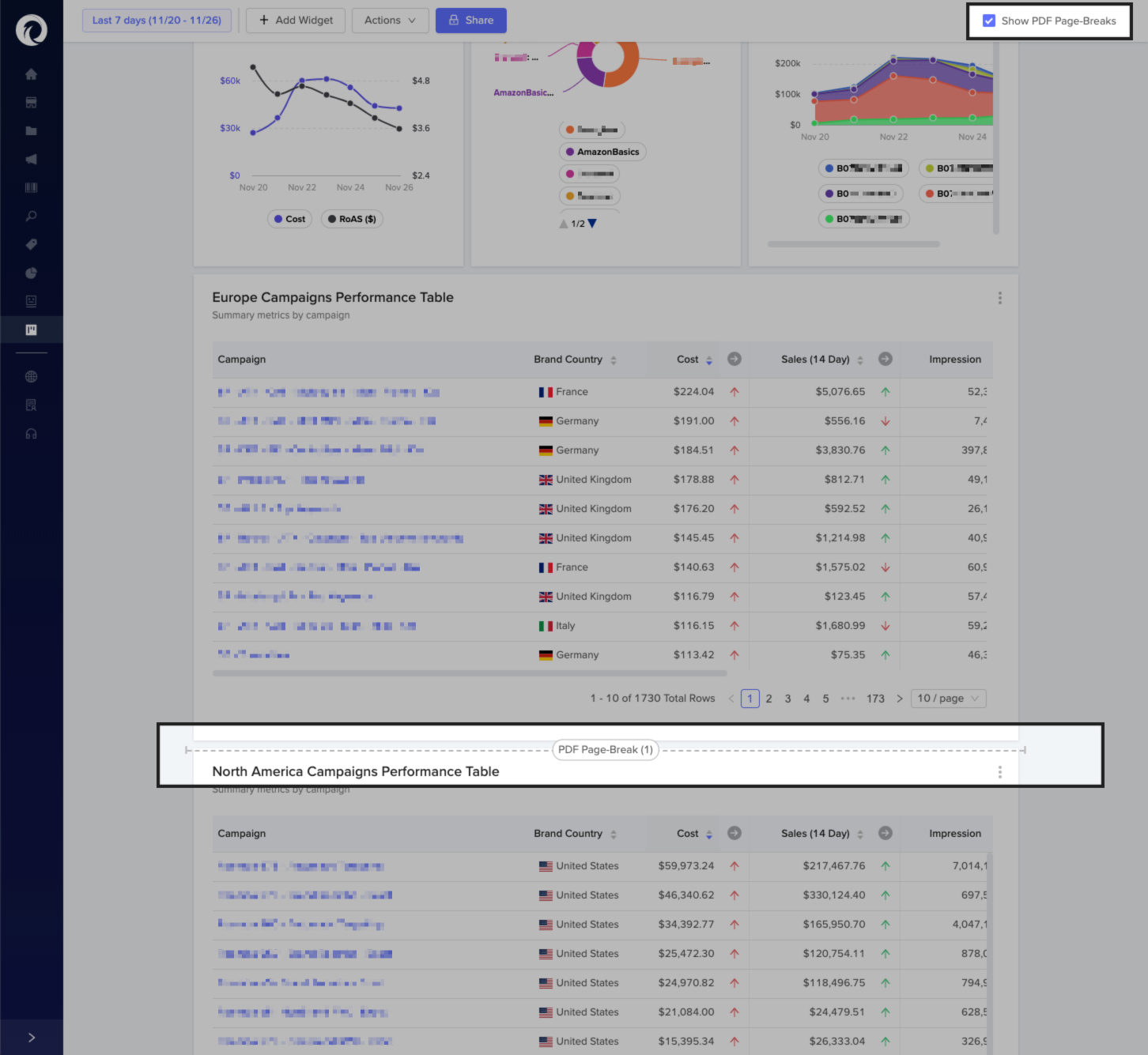
When a dashboard is emailed or exported to a PDF, widgets can get cutoff and printed across multiple pages. To avoid this issue, Downstream just released a new feature that shows the page break preview for dashboards.
To get started, open any dashboard. The default dashboard view will stretch the widgets across the page to fill up the screen.

Toggling the Show PDF Page-Breaks checkbox will constrict the maximum width of all widgets to the same dimensions of the PDF page and show page break previews. This will make it easier to position widgets so they don't span multiple pages.